

Inviting and Managing Your Team
Your team lives under Settings → Team.
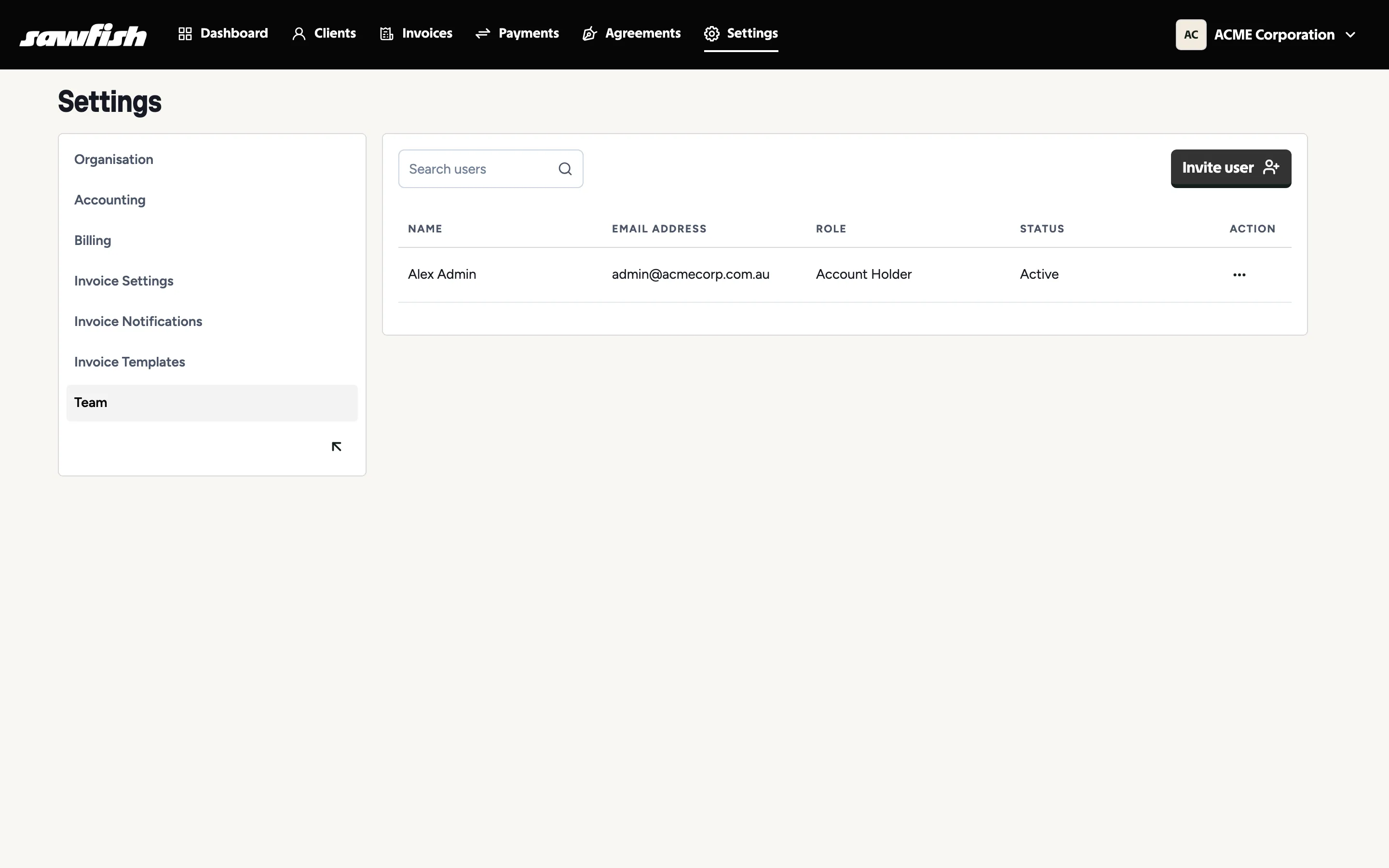
Inviting a team member
Section titled “Inviting a team member”- Go to Settings → Team and send an invitation to their email address.
- They follow the link, provide their first and last name, and set a password.
- They appear in your team list with an accurate membership status.
If someone loses their invite or password, password reset emails send reliably from the login screen.
Access controls
Section titled “Access controls”User access controls let you manage what each team member can reach inside Sawfish. A few rules keep things safe:
- The account holder’s role is protected - it can’t be edited away by other members, so an organisation always has an owner.
- Roles are per organisation - the same person can be account holder in one organisation and a regular member in another.
- Point of Sale Operator is a special-purpose role: mobile-only, limited to taking payments through the keypad and Tap to Pay. See the Point of Sale role.
Removing someone
Section titled “Removing someone”Remove a member from the team list. Access ends immediately - not at their next sign-in. If they’re currently viewing your organisation they’ll see a clear “no access” screen rather than your data, and can switch to another organisation they belong to.
Each member’s own preferences
Section titled “Each member’s own preferences”Individual team members control their own notification subscriptions - see Notification preferences.