

Fees and Payment Method Controls
What this changed
Section titled “What this changed”If you were on-charging fees, that stopped automatically - there was nothing to turn off and no setting to change:
- The on-charge toggles are gone from Settings → Accounting → Payment Methods, including the per-card-type ones for Visa, Mastercard and Amex.
- Public invoice and batch payment pages no longer show any fee line under a payment method. The “No additional fees” labels are gone too, because they now apply to everything.
- Agreement signing pages no longer show a fee against card, PayTo or direct debit.
Your rates
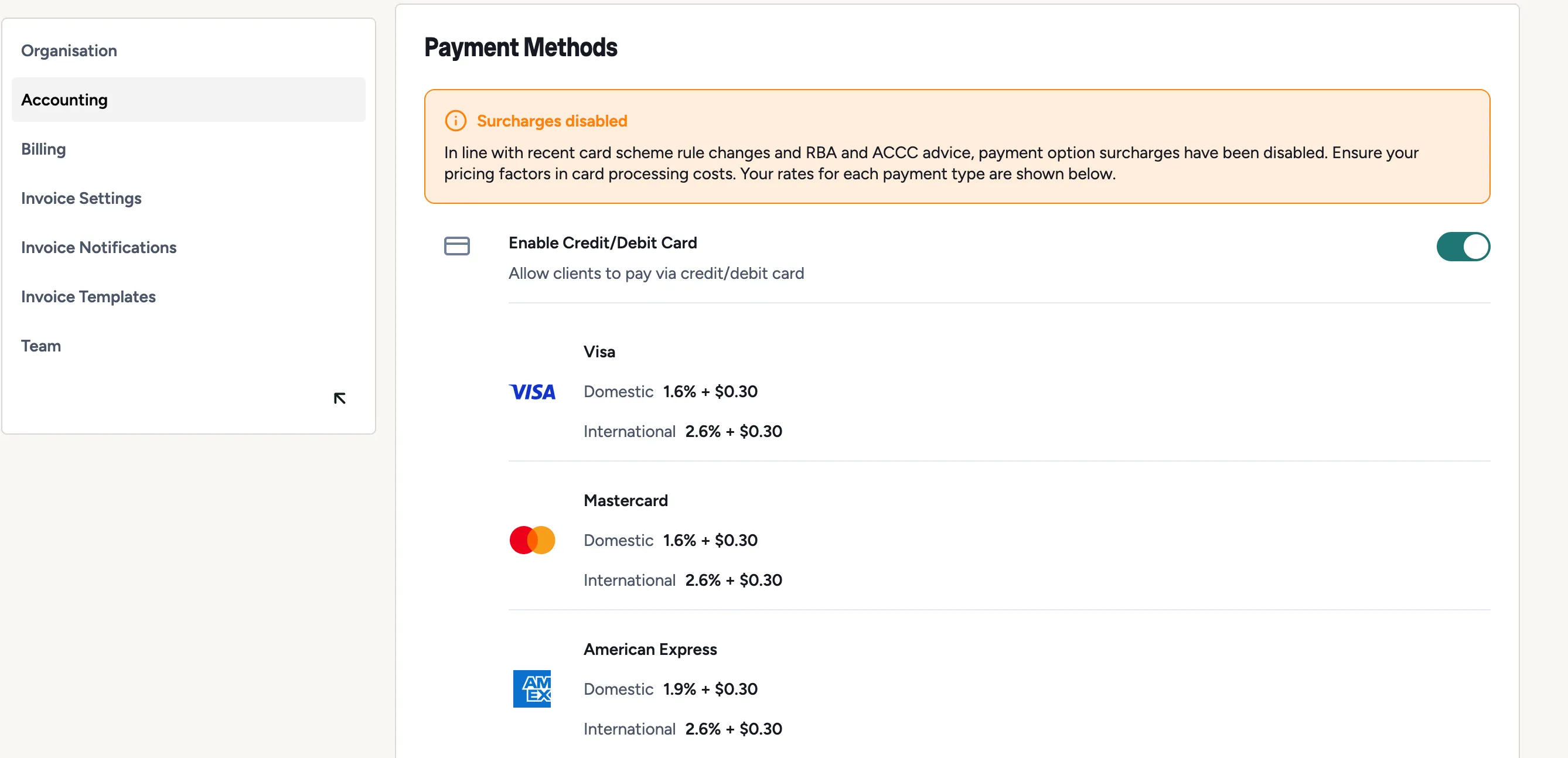
Section titled “Your rates”Settings → Accounting → Payment Methods now shows the rate you’re charged for each payment type, so you can see what a payment actually costs you:
| What you’ll see | Meaning |
|---|---|
1.6% + $0.30 |
Percentage of the payment plus a fixed amount |
| A cap | Where the rate has a maximum, it’s shown with the rate |
No fee |
That type costs you nothing |
Not set |
No rate is configured for your tier - contact the Sawfish team |
Cards are broken out as Visa, Mastercard and American Express, each with domestic and international rates, because they differ. PayTo and PayID each show a single rate.
All quoted rates include GST.
Enable and disable methods
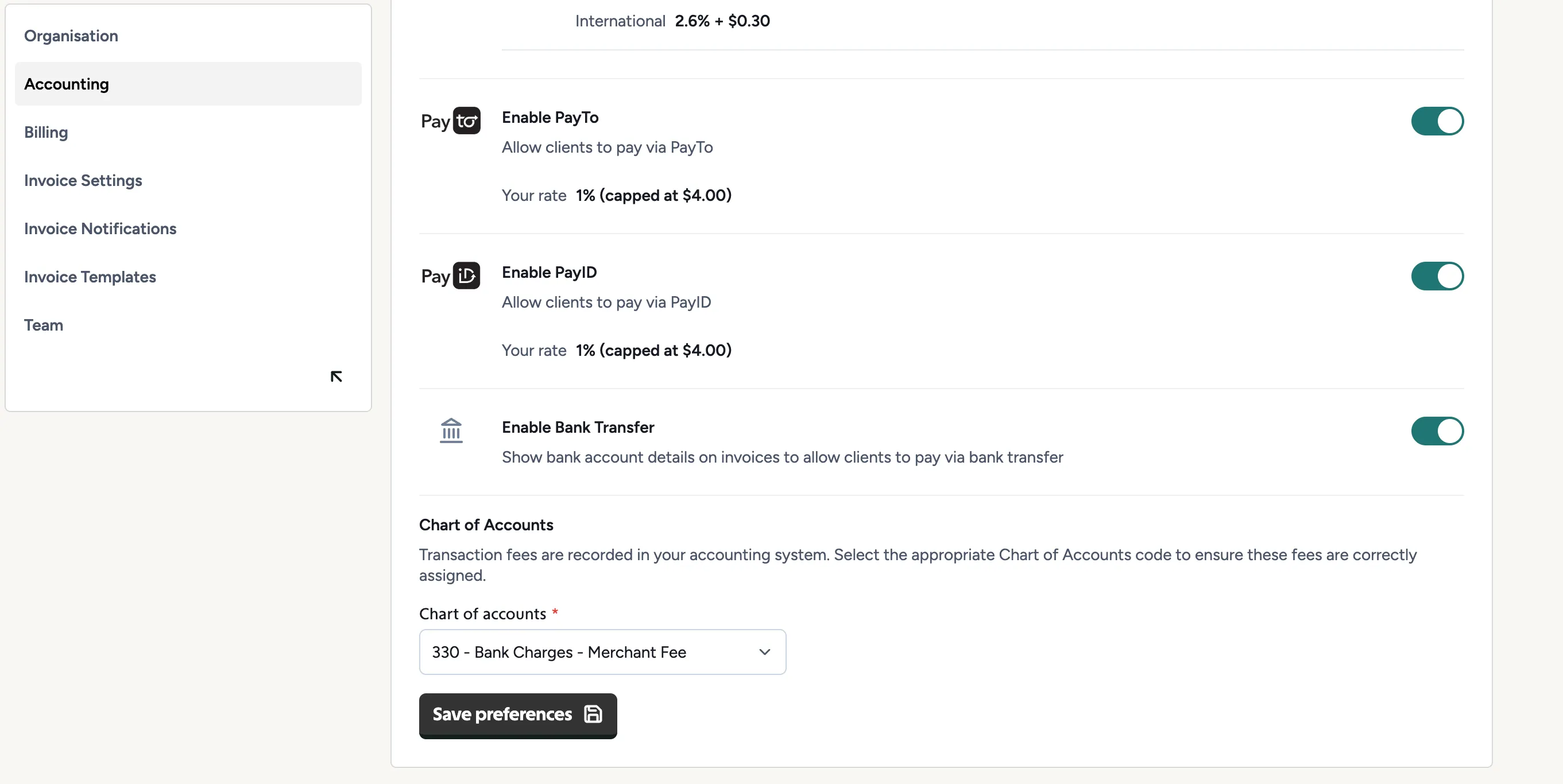
Section titled “Enable and disable methods”This part is unchanged. Each payment method - Credit Card, PayTo, PayID and Bank Transfer - can be switched on or off for your organisation, under Settings → Accounting → Payment Methods. A disabled method simply doesn’t appear on your customers’ payment pages.
Choosing what to accept is now purely about what suits your customers and what each method costs you, since none of them changes what the customer pays.
Bank Transfer is the odd one out: switching it on shows your bank account details on the invoice so the customer can pay you directly.
Chart of Accounts
Section titled “Chart of Accounts”At the bottom of the same page, pick the account code your processing fees are posted to in Xero or MYOB - something like 330 - Bank Charges - Merchant Fee.
Changes here aren’t live until you press Save preferences.
If you use MYOB, the same section has a Record fees in Undeposited Funds toggle. It saves as soon as you switch it, and decides whether each fee lands next to its payment in Prepare Bank Deposit or in Prepare Electronic Payments. See Reconciling Sawfish payments.
Where the fee shows up
Section titled “Where the fee shows up”The fee is deducted before the money reaches you, so you’ll see it in two places:
- On the payment itself in your Payments list.
- In your payout - the deposit is net of fees. See Payouts and your wallet.