

Approving and Sending
Approval is the moment an invoice becomes real: it’s locked into your numbering, synced to your accounting system, and queued for delivery.
The Approve dropdown
Section titled “The Approve dropdown”When creating or reviewing an invoice, the Approve button is a dropdown with two choices:
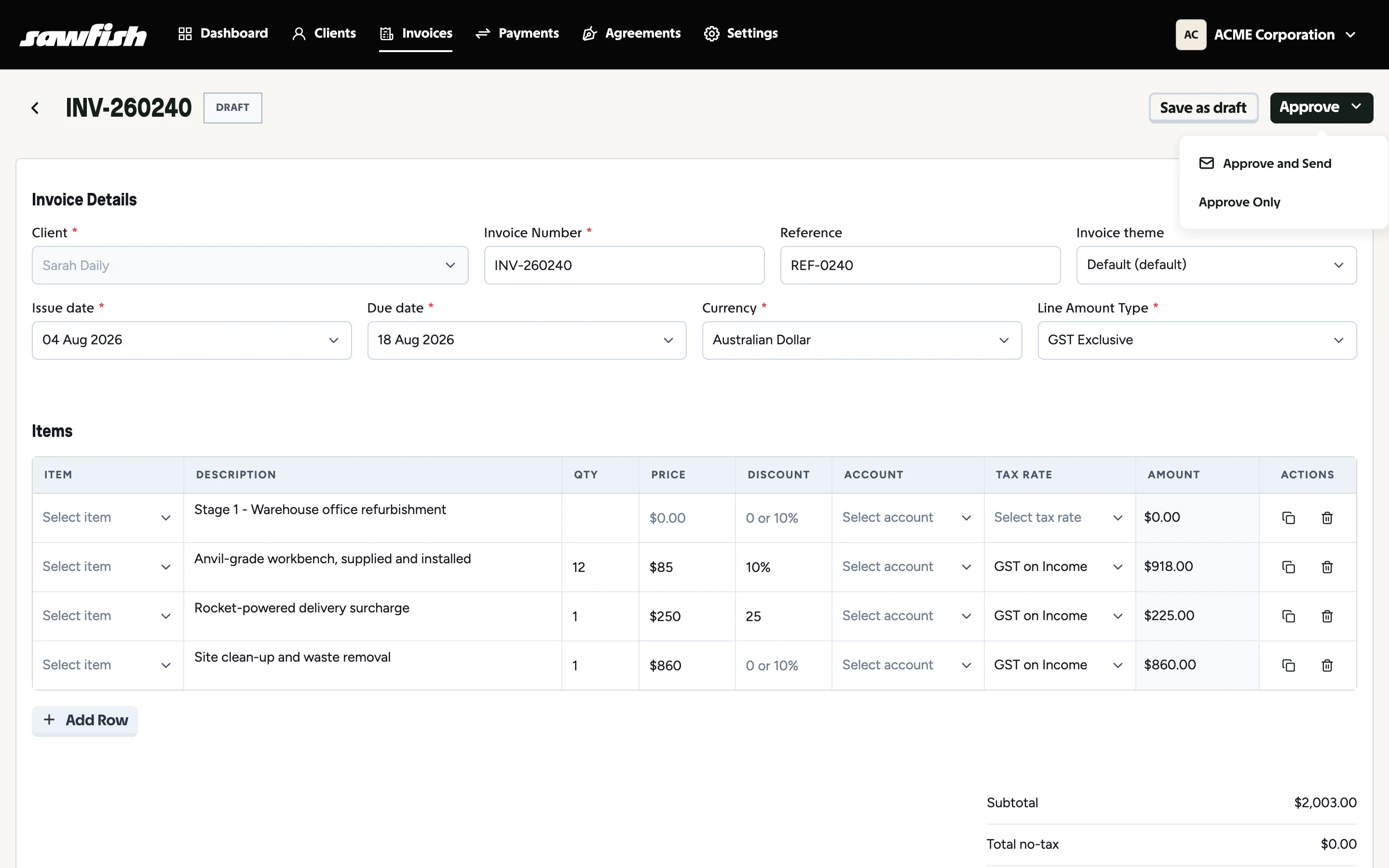
- Approve and Send - approve now and email the invoice to the client with payment options attached.
- Approve Only - approve without sending. Useful when you want the invoice on the books but delivery on your schedule.
What the client receives
Section titled “What the client receives”An email (and SMS if enabled) with the invoice attached as a PDF and a secure payment link where they can pay by card, Apple Pay or Google Pay, PayID, PayTo, or bank transfer - whatever you’ve enabled. Public invoice links are protected by signed URLs, so they can’t be guessed.
Who receives the invoice
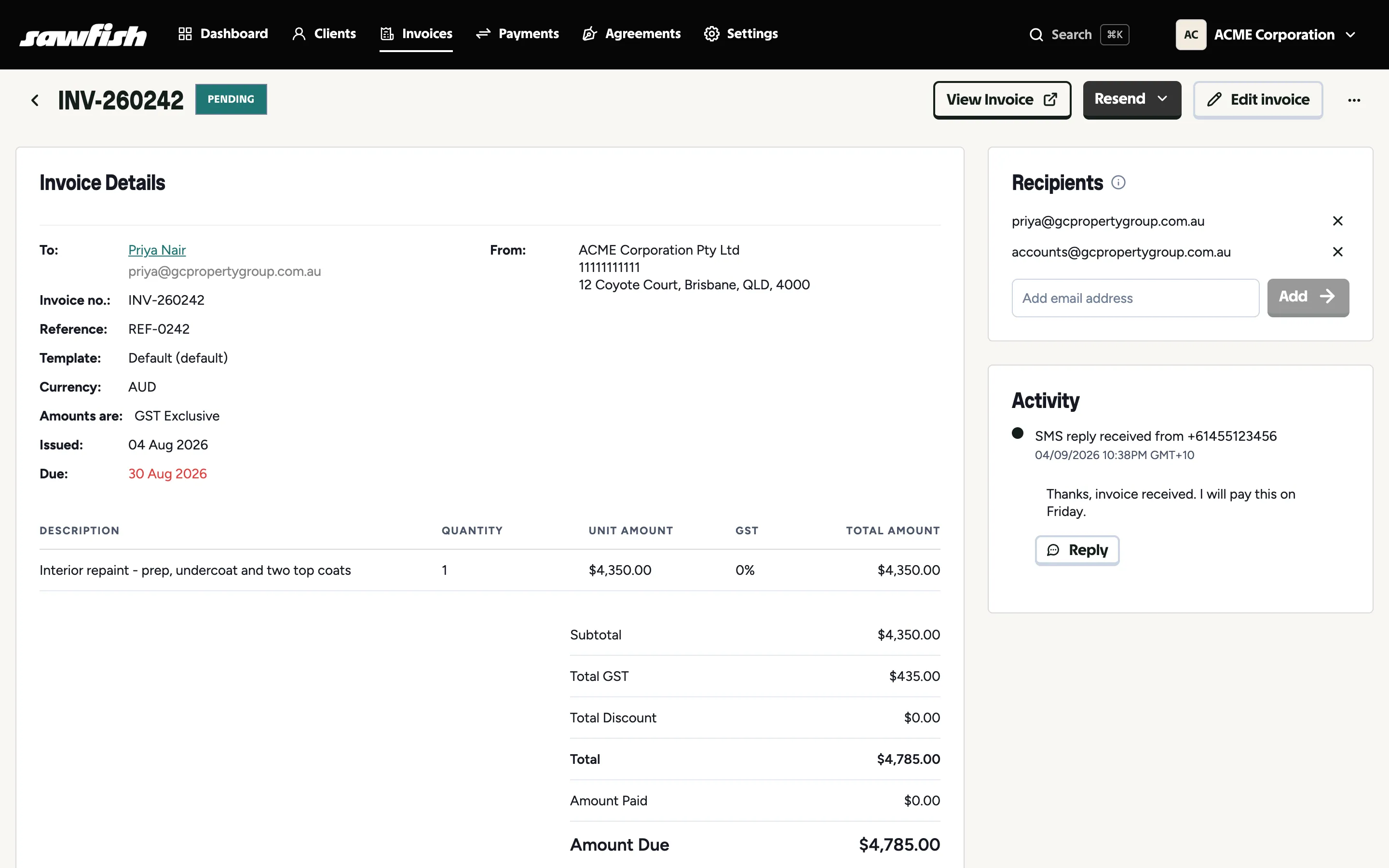
Section titled “Who receives the invoice”By default, invoice emails go to the client’s main email address plus any contact persons flagged to be included in all email communications. The send modal shows the list before anything goes out, and you can add or remove addresses right there.
The first time an invoice is sent, its recipient list is pinned to the invoice - every future send and reminder for that invoice goes to the same people, even if you change the client’s contacts later. To adjust a single invoice’s audience, use the Recipients card on the invoice view: add or remove email addresses per invoice, and they apply to that invoice’s sends and reminders only. Clearing the list puts the invoice back on the client’s defaults.
Re-sending
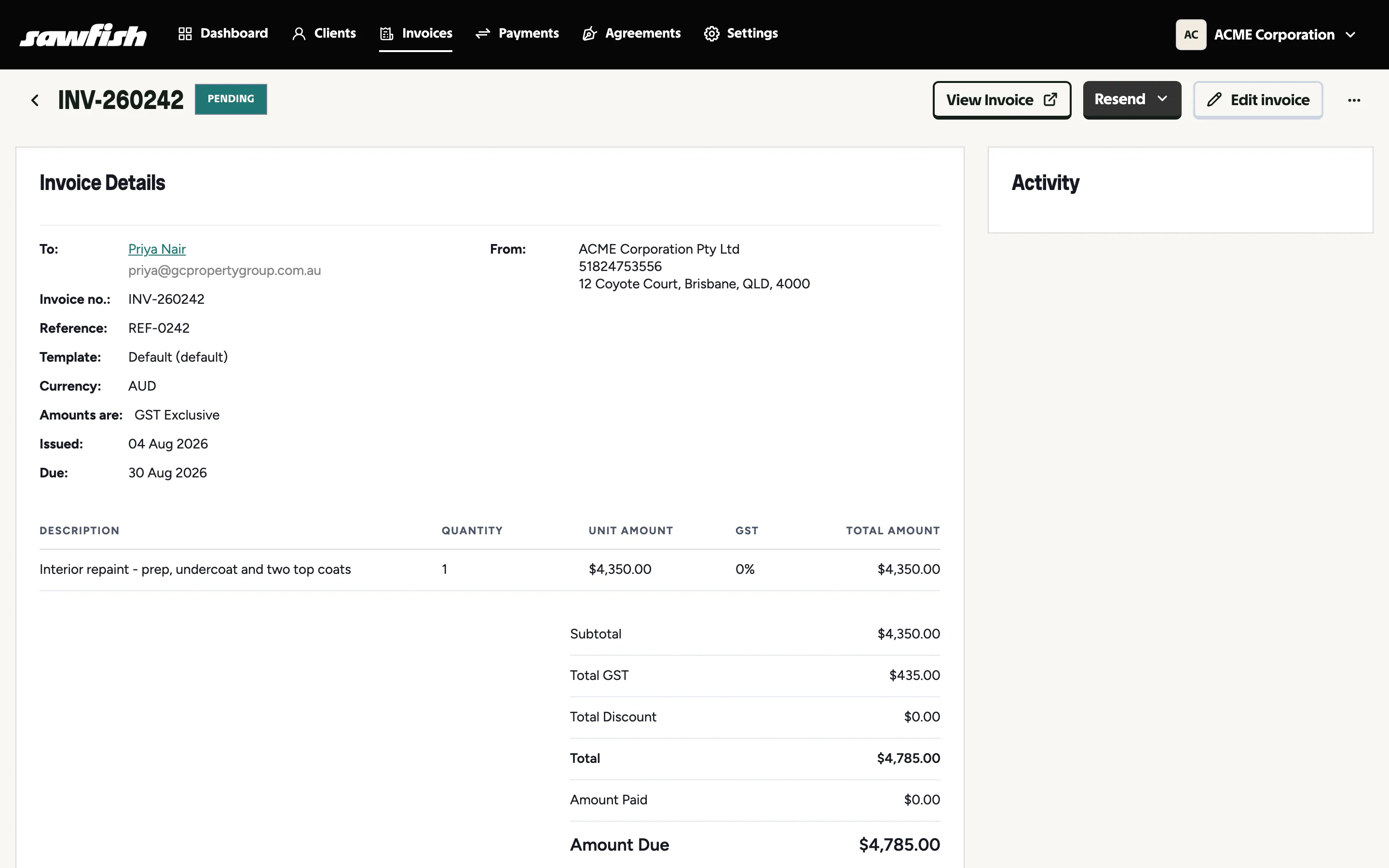
Section titled “Re-sending”Already-approved invoices can be re-sent any time: open the invoice and use Resend. The activity panel on the invoice records every send, so you can see exactly what went out and when.
After sending
Section titled “After sending”- The invoice sits in Pending until paid (moving to Overdue past its due date - with reminders chasing it automatically).
- When payment lands, the status moves to Paid (via Paid - pending settlement while the payment gateway settles), and the payment is written back to Xero/MYOB.