

Daily Monitoring and Alerts
A credit check tells you about a client today. Daily monitoring keeps watching - so a client who was safe when you onboarded them can’t quietly become a risk.
Enable monitoring
Section titled “Enable monitoring”- Open the client’s Credit Score tab (a completed credit check is the starting point).
- Choose Actions → Enable daily monitoring.
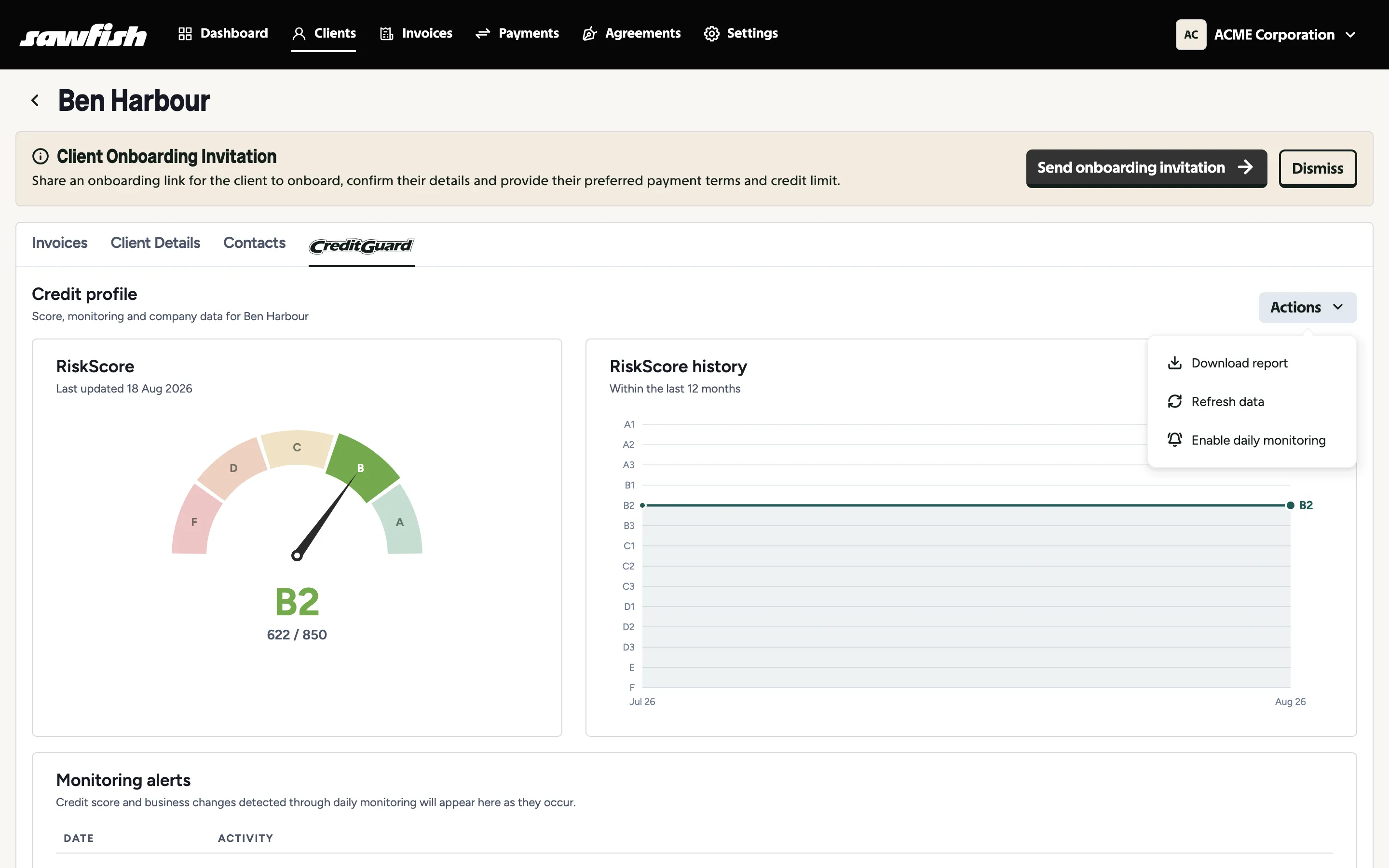
The client’s list entry gains a Monitored badge, and the Monitored filter on the client list shows everyone under watch. Disable daily monitoring from the same menu stops it.
What happens when something changes
Section titled “What happens when something changes”When monitoring detects a change in the client’s credit score or business - a score movement, an administration event, a change of officeholders:
- Your organisation is emailed with what changed and how serious it is.
- The alert appears in the CreditGuard widget on your dashboard.
- The alert is recorded under Monitoring alerts on the client’s Credit Score tab, so the client’s record tells the full story.
Choosing who gets alert emails
Section titled “Choosing who gets alert emails”Alert emails go to your team, and each team member controls their own subscription: in their team profile, anyone can opt out of CreditGuard alert emails. Monitoring keeps running for the organisation - only that person’s notifications stop.