

Late Fees and Early Payment Discounts
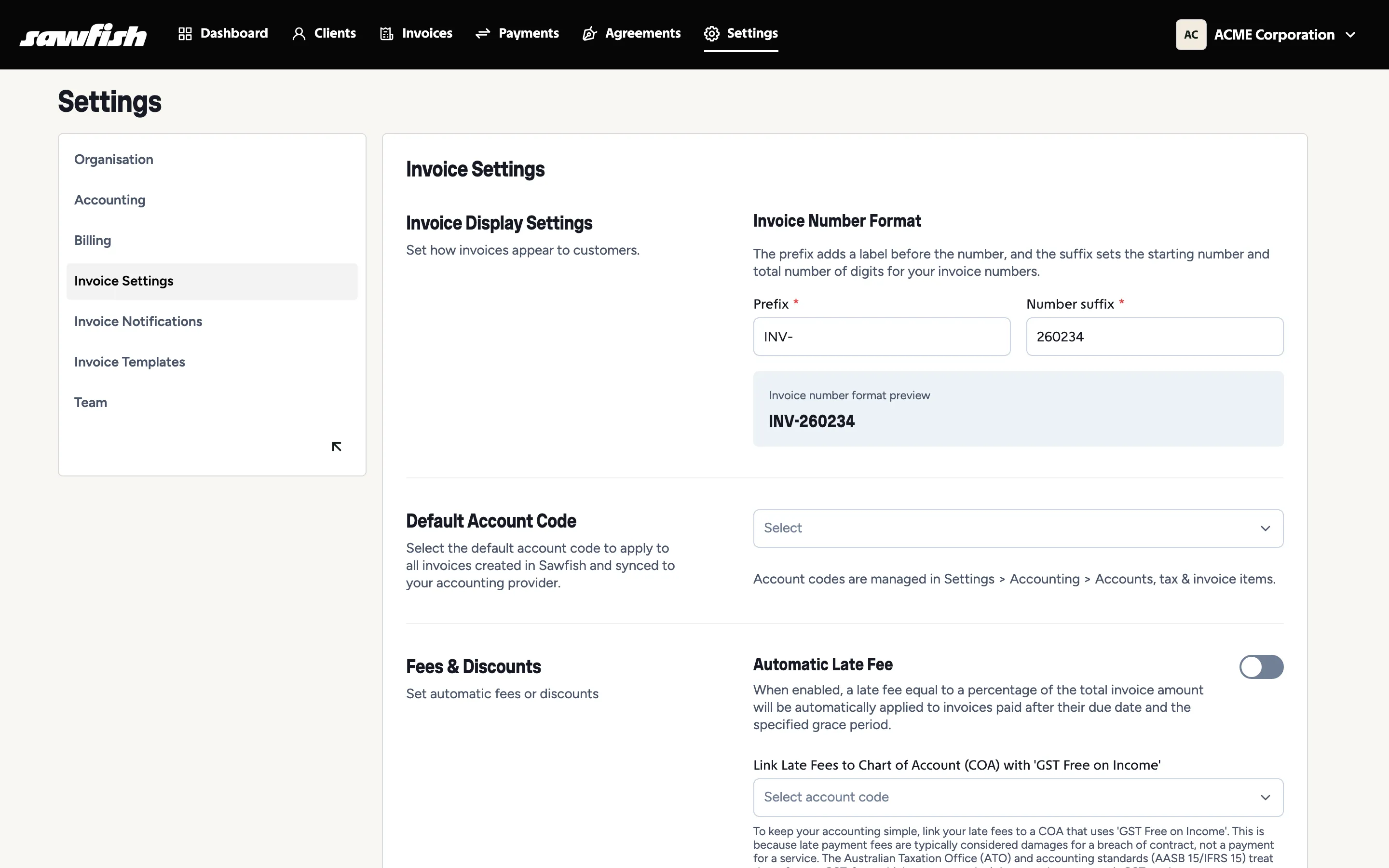
Sawfish gives you two automatic levers for getting paid on time: a prompt payment discount for customers who pay early, and auto late fees for invoices that go overdue. Both are configured under Settings → Invoice Settings and run without any per-invoice effort from you.
Prompt payment discount
Section titled “Prompt payment discount”Reward customers for paying before the due date. Enable it and set the discount percentage; Sawfish handles the rest:
- When a customer opens their invoice’s payment page before the due date, the discount is calculated from the invoice’s line items and the discounted amount is what they’re asked to pay. No codes, no negotiation - early payers simply pay less.
- The discount is offered up to the end of the day before the due date. From the due date onward, the full amount applies.
- Only untouched invoices qualify: an invoice that’s partially paid (or already paid) is no longer eligible.
- The discount maps to the account code you nominate, so your ledger shows exactly what was given away to accelerate cash flow.
Auto late fees
Section titled “Auto late fees”Charge overdue invoices a percentage late fee - automatically, consistently, and only once per invoice.
Configure three things:
- Late fee percentage - calculated on the invoice total.
- Grace period (days) - breathing room after the due date before any fee applies. An invoice is only charged once it’s overdue beyond the grace period.
- Late fee account code - where the fee income lands in your chart of accounts.
Once enabled, Sawfish checks overdue invoices hourly. When an invoice qualifies:
- A line item - “Late Payment Fee (X%)” - is added to the invoice, with GST handled per your tax settings.
- The same line is written through to the invoice in Xero or MYOB, so both systems agree on the new total.
- The action is recorded on the invoice’s timeline (“Auto late fee applied: $amount (X%)”), so there’s never a mystery about where the charge came from.
- Reminders keep chasing the invoice - now for the updated amount.
A late fee is applied once per invoice - an invoice that stays overdue doesn’t accumulate a new fee every hour or every week.
Using both together
Section titled “Using both together”The pair works best as a policy: “pay early, pay less; pay late, pay more.”
- Set the grace period to match how strictly you want to enforce terms - a few days of grace keeps goodwill with customers who pay a day or two behind.
- Because the discount disappears at the due date and the fee arrives after the grace period, there’s a natural neutral zone in between - the invoice amount is exactly as issued.
- Mention both in your reminder wording - “pay by {due date} to keep your prompt payment discount” reads better than a threat.