

What is CreditGuard?
CreditGuard tells you how risky it is to extend credit to a client - before you invoice them, and continuously afterwards. It has two parts:
- Credit checks - a point-in-time credit report on a business: their RiskScore, company data, and officeholder information.
- Daily monitoring - ongoing surveillance of a client’s credit position. When something changes, Sawfish alerts you.
Where you’ll see CreditGuard
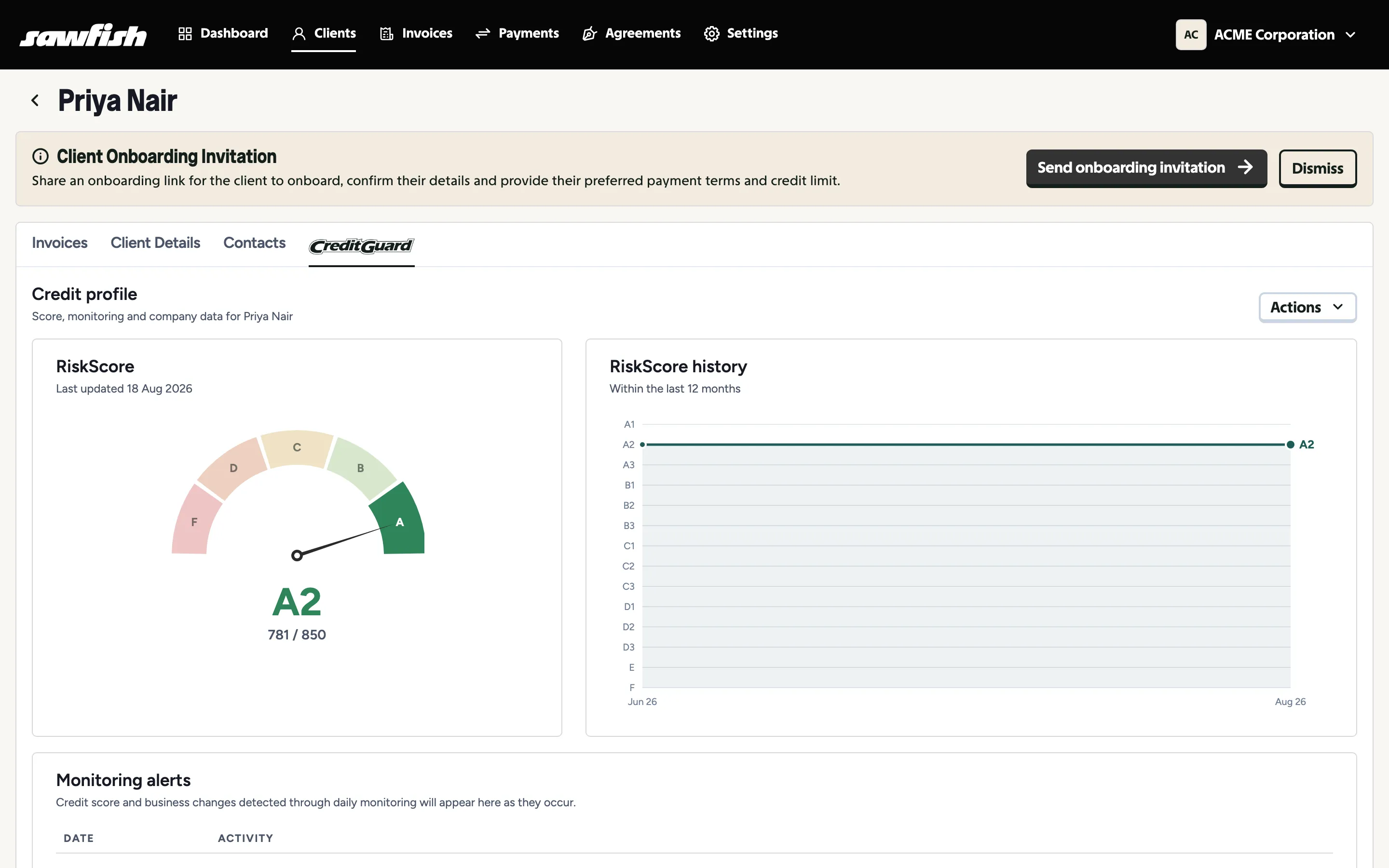
Section titled “Where you’ll see CreditGuard”- The client’s Credit Score tab - the full credit profile: RiskScore gauge, score history, monitoring alerts, business details, and officeholder and shareholder information.
- The client list - Checked and Monitored badges on each client, plus filters to show only checked or monitored clients.
- Your dashboard - the CreditGuard widget surfaces alerts when a monitored client’s credit score or risk profile changes.
- Your inbox - alert emails to your organisation when monitoring detects a change.
Inside the credit profile
Section titled “Inside the credit profile”A completed check is much more than the score. The client’s Credit Score tab holds the full picture of who you’re trading with:
- Business information - the client’s ABR and ASIC registration data side by side: registered names, ABN and ACN, registration dates, entity status and type, GST registration, registered address, and ASIC’s next review date. A quick way to confirm the entity on your invoices is the entity on the register.
- Directors and officeholders - the current officeholders from the ASIC extract on file: each director and secretary with their date of birth, address, and appointment date. You can see exactly who is behind the company before extending credit.
- Shareholding - the share structure and shareholders from the ASIC extract: share classes with totals paid and due, and each shareholder with their holding and percentage. Useful for spotting related entities and who ultimately owns the business.
- Monitoring alerts - when daily monitoring is on, credit score and business changes are listed here as they occur, so the profile doubles as the client’s risk history.
What it costs
Section titled “What it costs”- Credit checks are paid per report from your Sawfish wallet. If a paid check comes back with blank data, you can re-run it at no extra cost.
- Daily monitoring is billed monthly per monitored client, also from your wallet - so keep the Monitored filter honest and switch off monitoring for clients you no longer trade with.