

Managing Clients
Everything client-related lives under Clients in the top navigation.
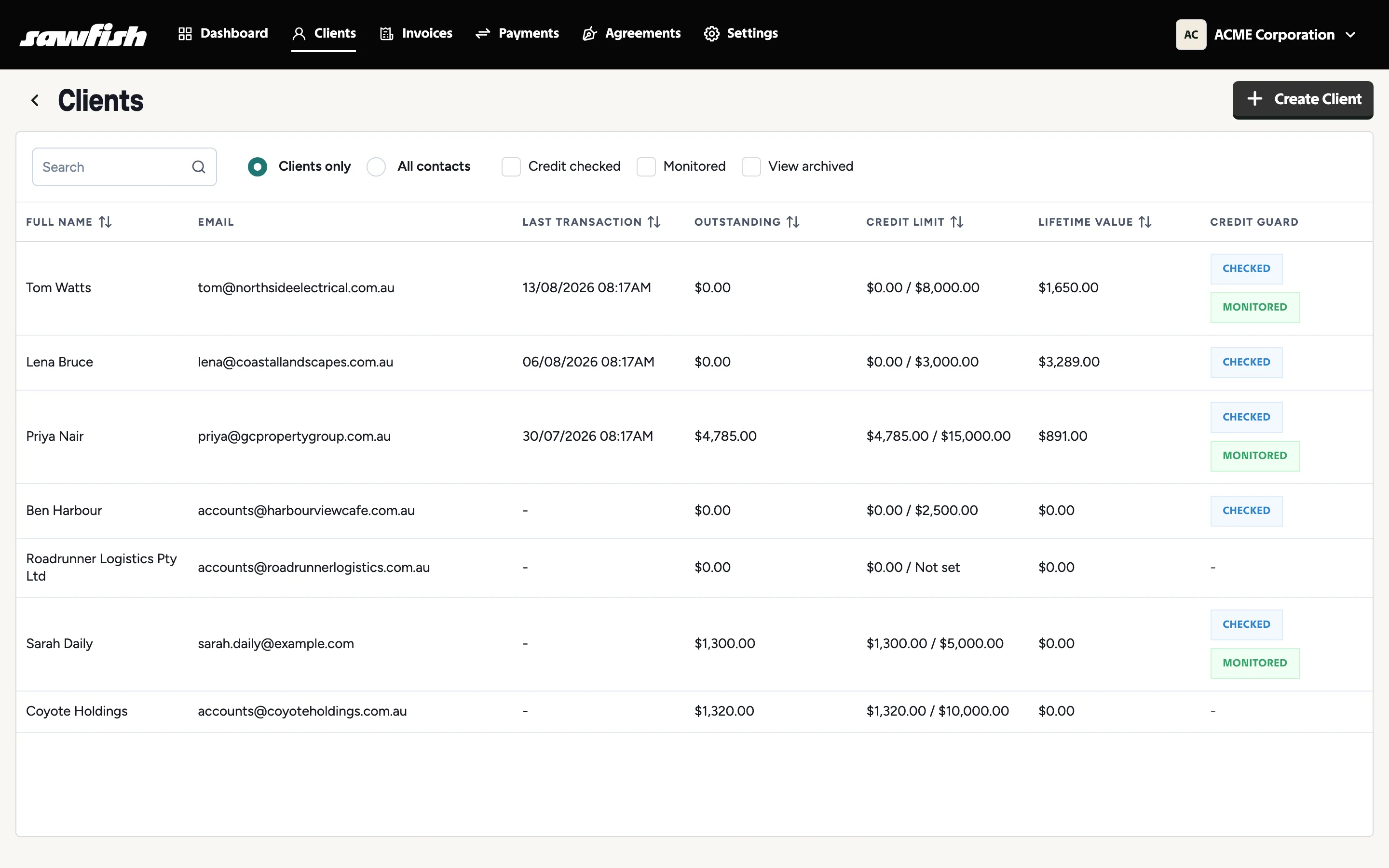
The client list
Section titled “The client list”Each row shows the client’s name and email alongside their last transaction, outstanding balance, credit limit, and lifetime value. Clients with CreditGuard activity carry Checked and Monitored badges.
Click any client to open their record - it has four tabs: Invoices, Client Details, Contacts, and Credit Score (the CreditGuard tab), each covered in this guide.
Search and filters
Section titled “Search and filters”- Search by name or email.
- Clients only / All contacts - switch between your customer list and every contact person you hold.
- Credit checked - only clients you’ve run a CreditGuard credit check on.
- Monitored - only clients with daily credit monitoring enabled.
- View archived - include archived clients in the list.
Archiving a client
Section titled “Archiving a client”Archiving hides a client from your list and pickers without losing anything - invoices and history are kept. Archive from the client’s Client Details tab, and restore any time via View archived on the client list.