

The Invoice PDF
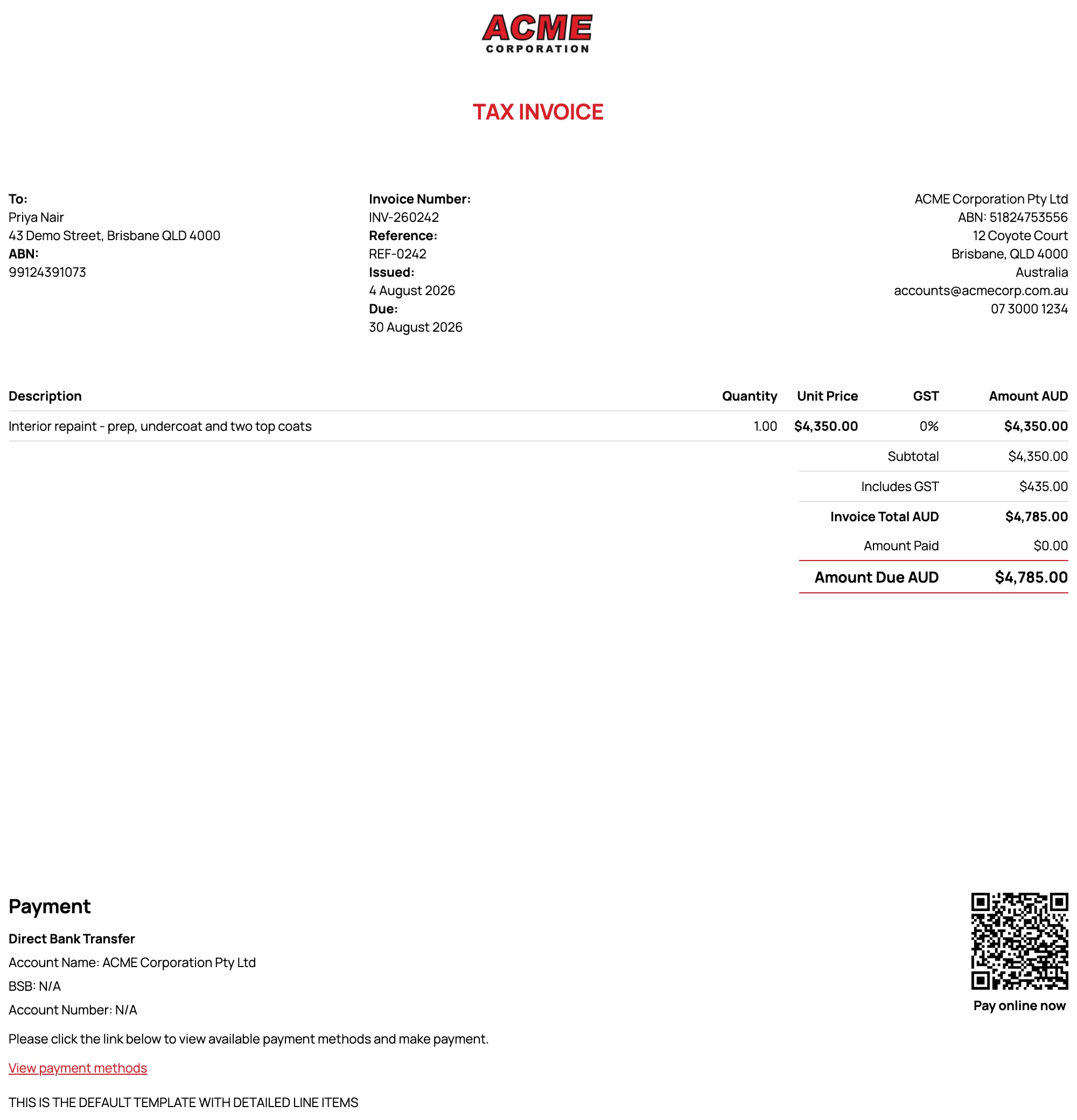
Every invoice is delivered as a branded PDF, downloadable from the invoice screen and attached to the delivery email. What it looks like is controlled by your invoice templates.
Templates
Section titled “Templates”Under Settings → Invoice Templates you manage the themes available on each invoice:
- The default template applies to everything unless you choose otherwise; pick a different theme per invoice from the Invoice theme selector when creating or editing.
- Line item display - the detailed layout shows the full column set (quantity, unit price, discount, GST); the summary layout keeps it minimal.
- Branding - your logo, its position, brand colour, and font carry across the PDF and matching emails.
- Columns and labels - choose which columns appear and rename them (e.g. “GST” vs “Tax”) to match how you talk to clients.
- Payment advice and notes - standing text that appears on every invoice, plus a QR code for quick payment if enabled.
What clients see
Section titled “What clients see”- Your business details (ABN, email, phone, address - each toggleable).
- Their details - contact name, address, ABN.
- Line items with any discounts shown explicitly, both on the downloaded PDF and the emailed copy.
- Totals with GST, the amount paid so far, and amount due.
Custom domain
Section titled “Custom domain”With the custom domain add-on, invoice links and emails come from your own domain (e.g. invoicing.yourbusiness.com.au) instead of Sawfish’s - covered in Settings & Templates.