Adding and Editing Clients
Creating a client
Section titled “Creating a client”Click Create Client at the top of the client list.
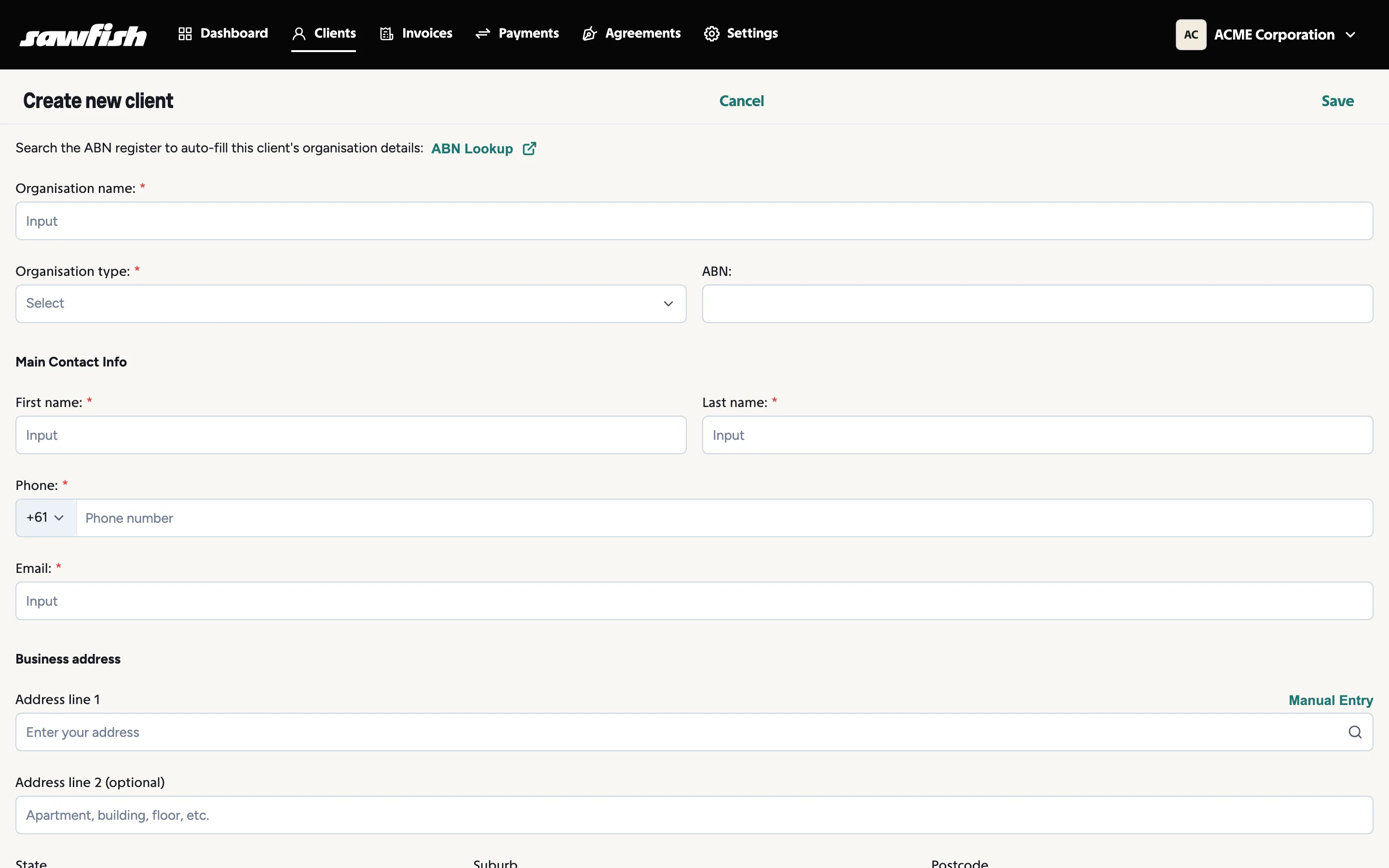
You’ll capture:
- Organisation details - name, organisation type, and ABN. Start typing the ABN and Sawfish looks the business up for you.
- Main contact - first name, last name, email, and phone numbers (a field each for mobile and landline; both optional). The email is required; it’s where invoices and reminders go.
- Payment terms - how many days the client has to pay, used to fill invoice due dates automatically.
- Credit limit - the exposure you’re comfortable with for this client. The dashboard’s Credit Limit Tracking widget flags clients approaching or over their limit.
The Client Details tab
Section titled “The Client Details tab”Open a client and choose Client Details to view and edit everything about them.
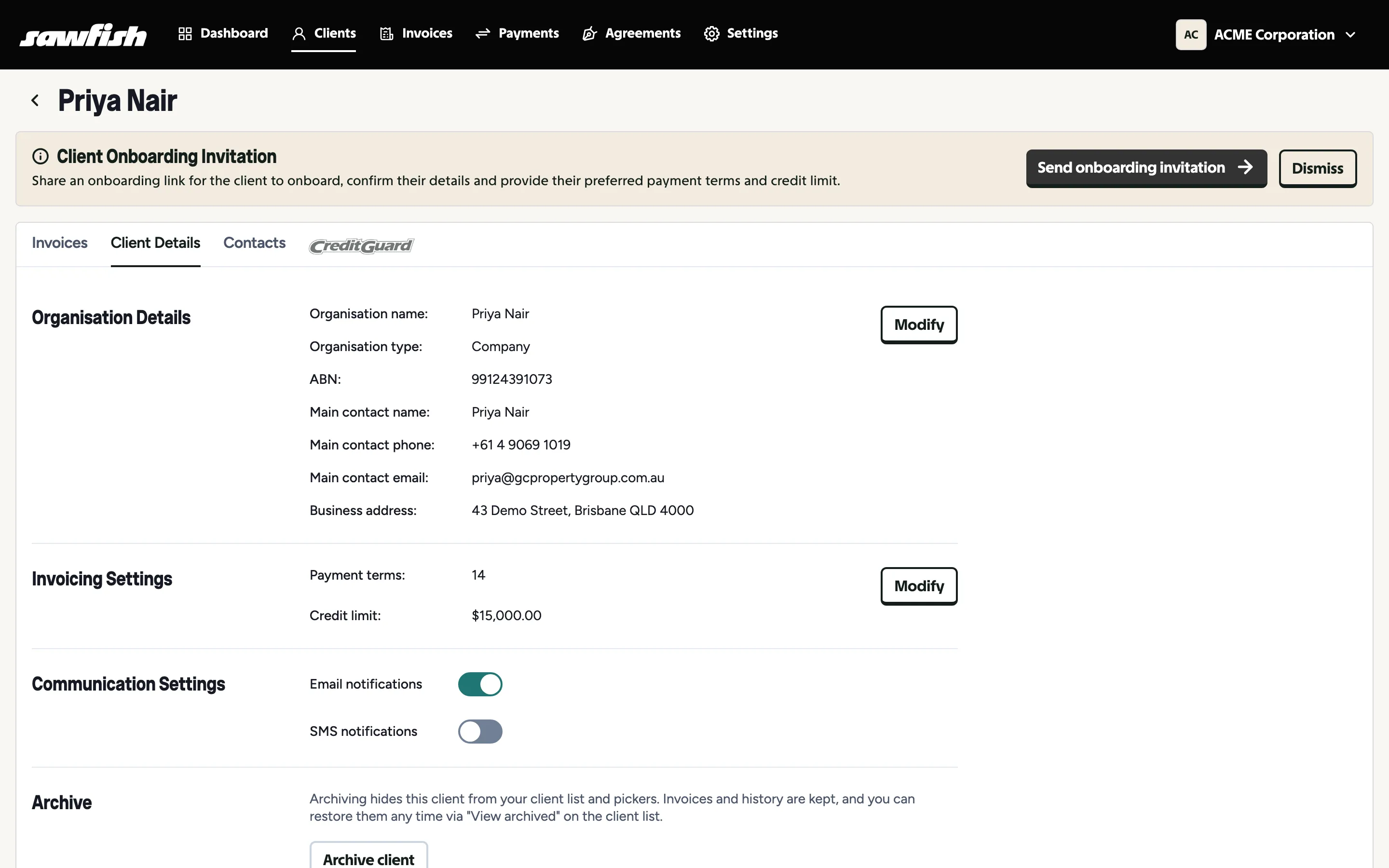
- Organisation Details - name, type, ABN, main contact, and business address. Modify to edit.
- Invoicing Settings - payment terms and credit limit.
- Communication Settings - toggle email and SMS notifications for this client.
- Archive - hide the client from your list and pickers while keeping all invoices and history.
Client totals
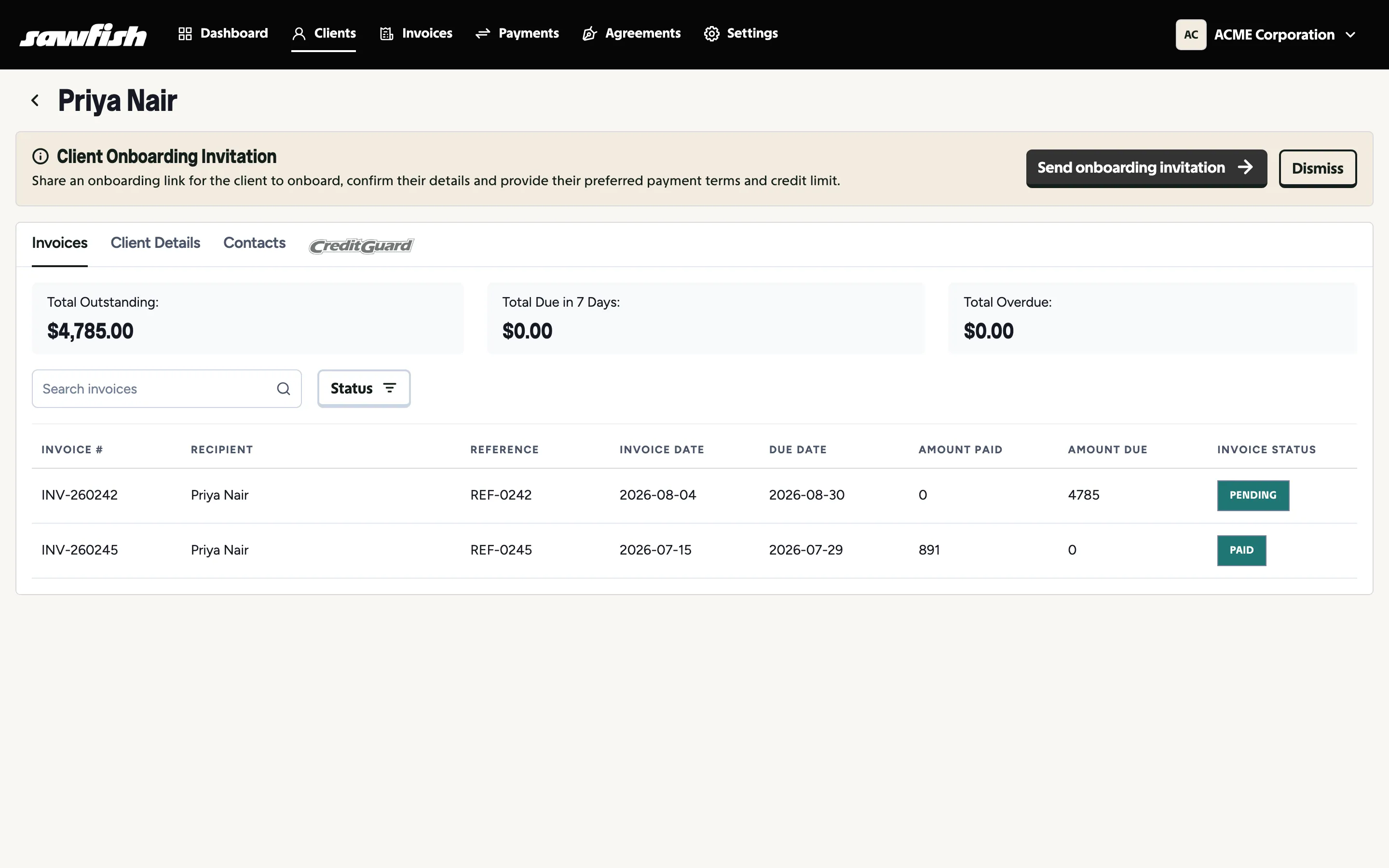
Section titled “Client totals”The client’s Invoices tab totals their position at a glance: Total Outstanding, Total Due in 7 Days, and Total Overdue, with a filterable list of every invoice.
From the same tab, Send Statement emails the client a summary of everything outstanding with a link to pay it in one go - see Monthly statements.