

Templates and Custom Domain
Settings → Invoice Templates holds your branded templates and the custom domain add-on.
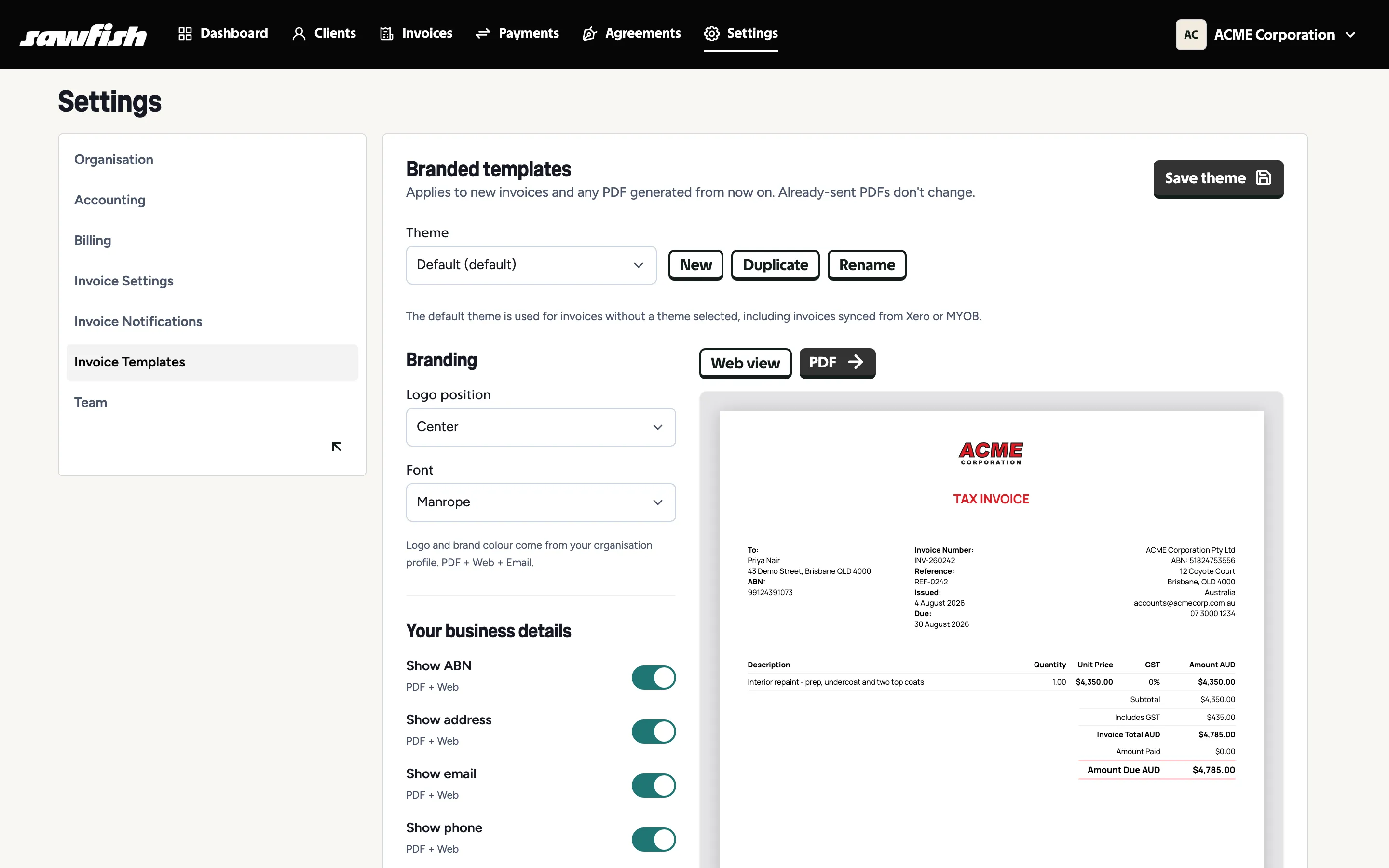
Branded templates
Section titled “Branded templates”Set a default template for the organisation; individual invoices can pick a different theme at creation. The full walkthrough of the template options - layout, columns, labels, branding, payment advice and QR code - lives at The Invoice PDF.
Custom domain
Section titled “Custom domain”With the custom domain add-on, your client-facing surfaces move from Sawfish’s domain to yours:
- Invoice domain - public invoice and payment pages served from e.g.
invoicing.yourbusiness.com.au. - Email domain - invoice emails sent from your own address at your domain, with proper authentication.
Setting it up
Section titled “Setting it up”- Enable the add-on (billed monthly from your wallet - see Billing).
- Add the DNS records Sawfish gives you: a CNAME for the invoice domain, plus DKIM and Return-Path records that authorise your email domain.
- Sawfish verifies the records and shows each domain’s status (pending → verified).
PayID on your domain
Section titled “PayID on your domain”Want your PayID at your own domain too? That’s set up by the Sawfish team rather than the settings page - contact us with the domain name you want to use. You’ll need to own the domain.