

Payments and Transactions
Payments in the top navigation is the ledger of every payment taken through Sawfish.
Reading the list
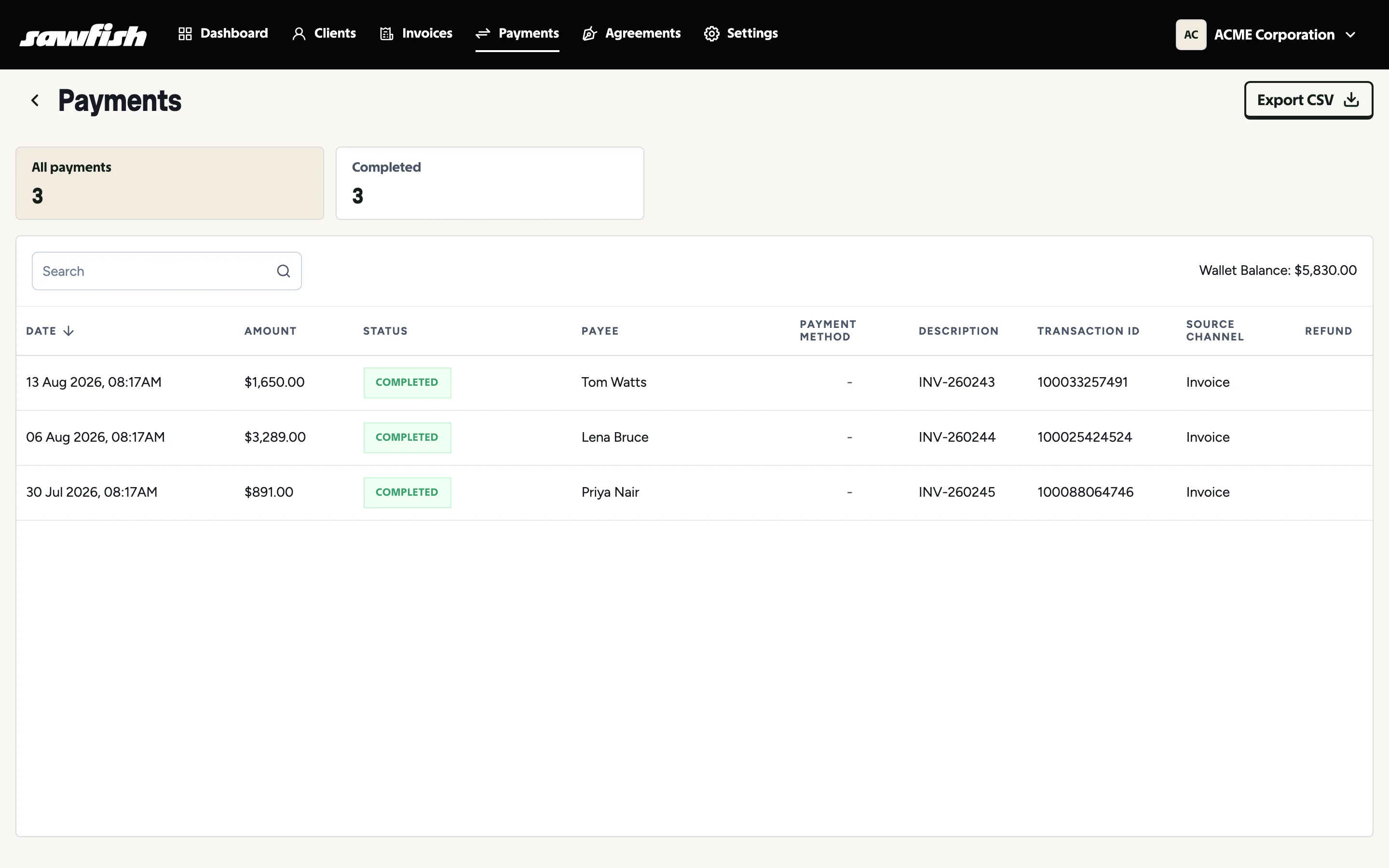
Section titled “Reading the list”Each payment shows:
- Date, amount, and status - completed, pending, or failed (with the reason kept on the record).
- Payee and description - who paid and what for, with the invoice number linked.
- Payment method - card brand, PayID, PayTo, or wallet icons and labels, including Windcave Tap to Pay.
- Transaction ID - the gateway reference, for support queries and reconciliation.
- Source channel - where the payment came from: an invoice, a batch payment, an agreement instalment, or Tap to Pay.
- Refund - refund status where one has been issued.
The summary cards filter by status, and Export CSV downloads the list for your accountant.
Timelines and local time
Section titled “Timelines and local time”Clicking a payment opens its invoice. Invoice timelines record each payment event with the payment method used, and all times display in your local timezone.
Accounting sync
Section titled “Accounting sync”Payments recorded in Xero or MYOB flow through to Sawfish and mark the matching invoice paid - so reminders stop and both systems tell the same story. The Payments list itself stays scoped to money that moved through Sawfish; an accounting-side payment shows on its invoice rather than as a row here.