

Reminders and Notifications
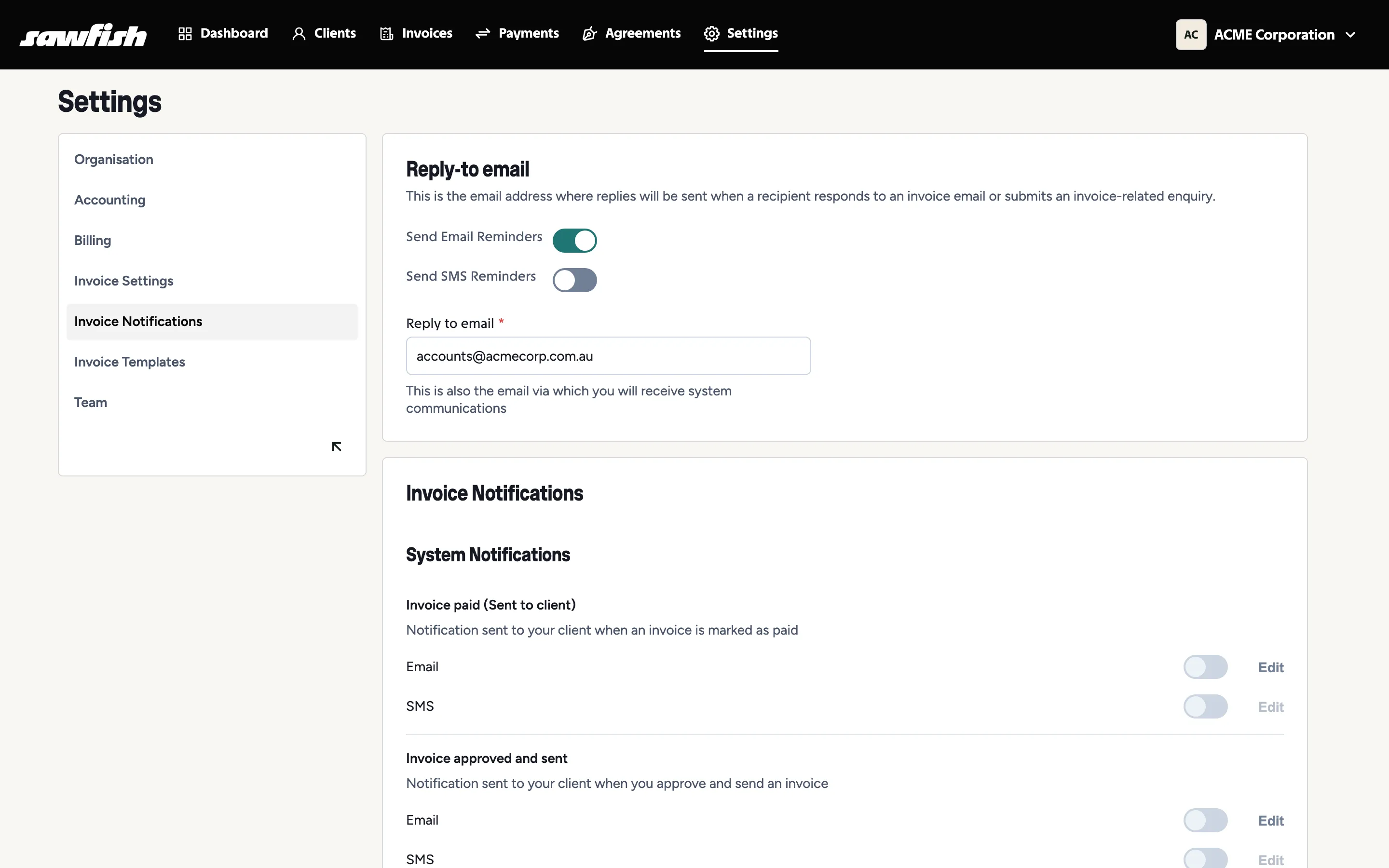
Sawfish chases invoices so you don’t have to. Configure everything under Settings → Invoice Notifications.
Reply-to email
Section titled “Reply-to email”Set the address that receives replies when a client responds to an invoice email or submits an invoice enquiry. System communications for your organisation come to this address too.
Reminders
Section titled “Reminders”Toggle Send Email Reminders and Send SMS Reminders for your organisation. Reminders run on a schedule around each invoice’s due date and stop automatically the moment an invoice is paid or voided.
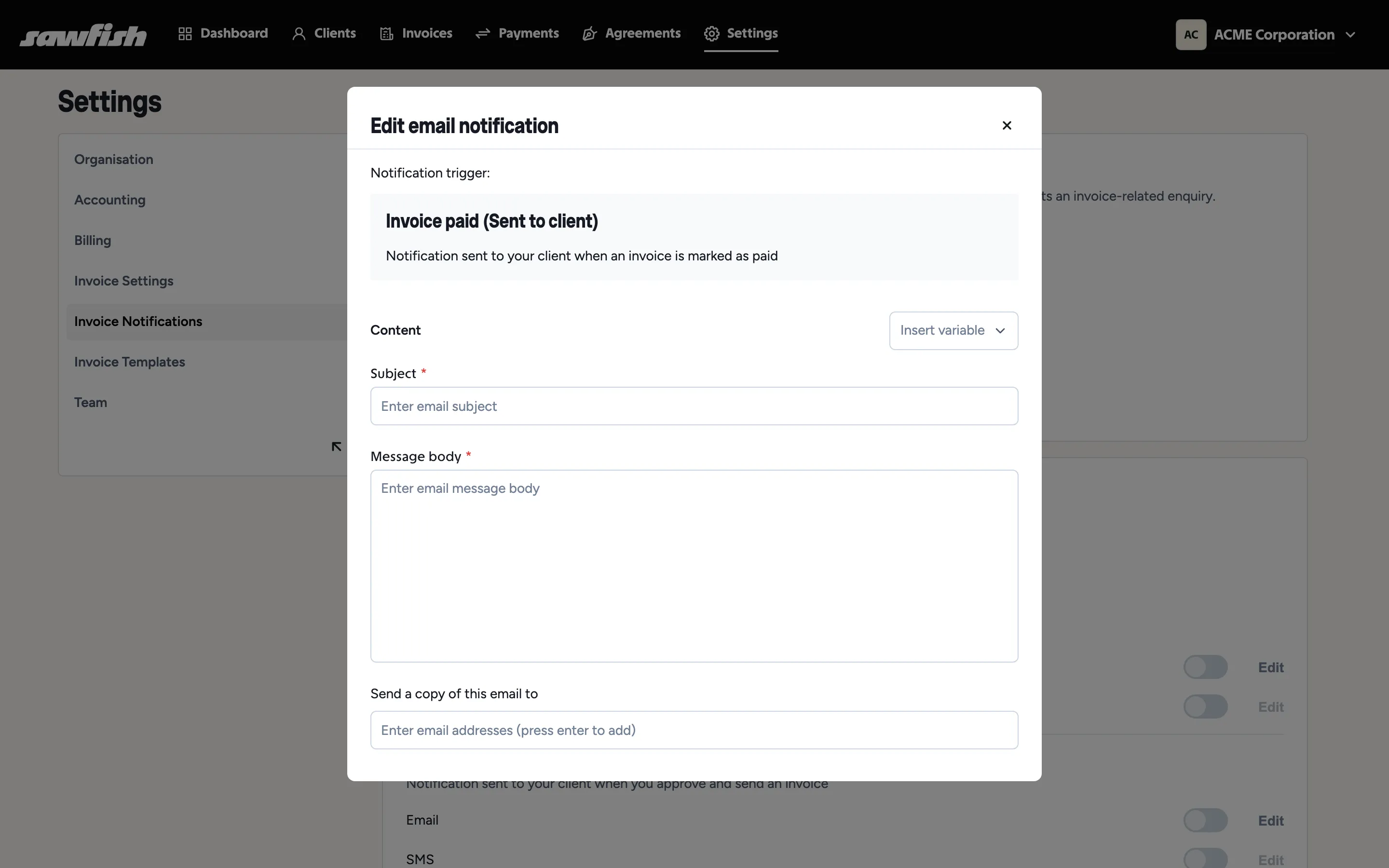
- Editable content - each reminder’s wording is yours to edit, per organisation.
- Variables - insert placeholders (client name, invoice number, amount due, payment link) at the cursor while editing, and they’re filled per invoice when sent.
- Preview - the email editor’s Preview opens a full mock-up of the email with your logo and branding, so you can check the layout before it ever reaches a client.
- SMS recipients - choose from the client’s contact people or enter a number manually.
SMS replies
Section titled “SMS replies”SMS in Sawfish is two-way. When a client texts back:
- The reply appears on the invoice’s activity log, with the message shown in full.
- Team members who’ve opted in receive an email notification with the message and the invoice and client details - see notification preferences.
- A Reply button on the activity entry opens the SMS composer pre-addressed to the client’s number, so the conversation continues from the invoice.
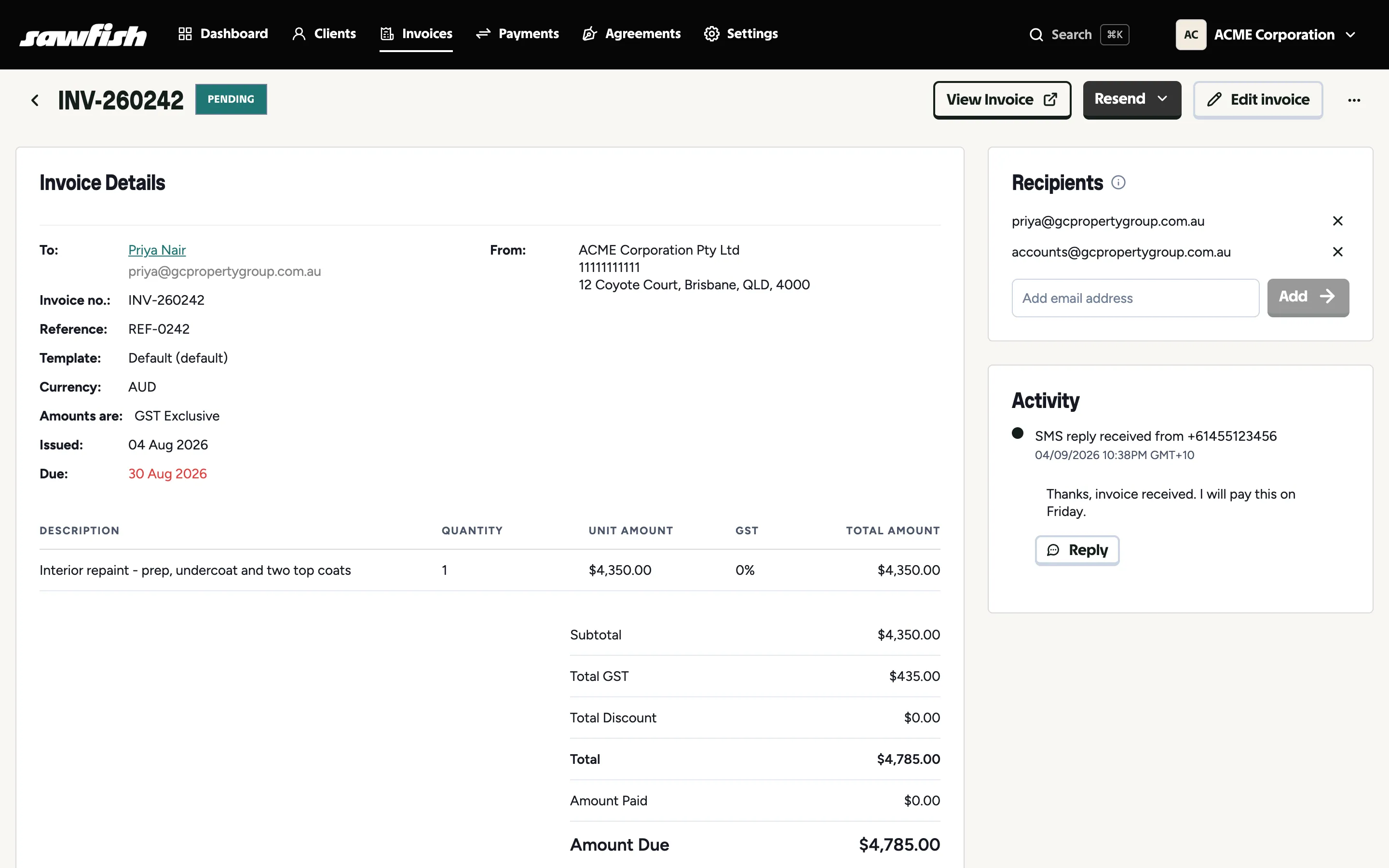
Replies cost nothing to receive; sending a reply uses SMS credit like any other message.
System notifications
Section titled “System notifications”Per-event notifications to your client, each with email and SMS toggles and editable templates:
- Invoice paid - receipt-style confirmation when an invoice is marked paid.
- Invoice approved and sent - the delivery email that accompanies a new invoice.
Monthly statements
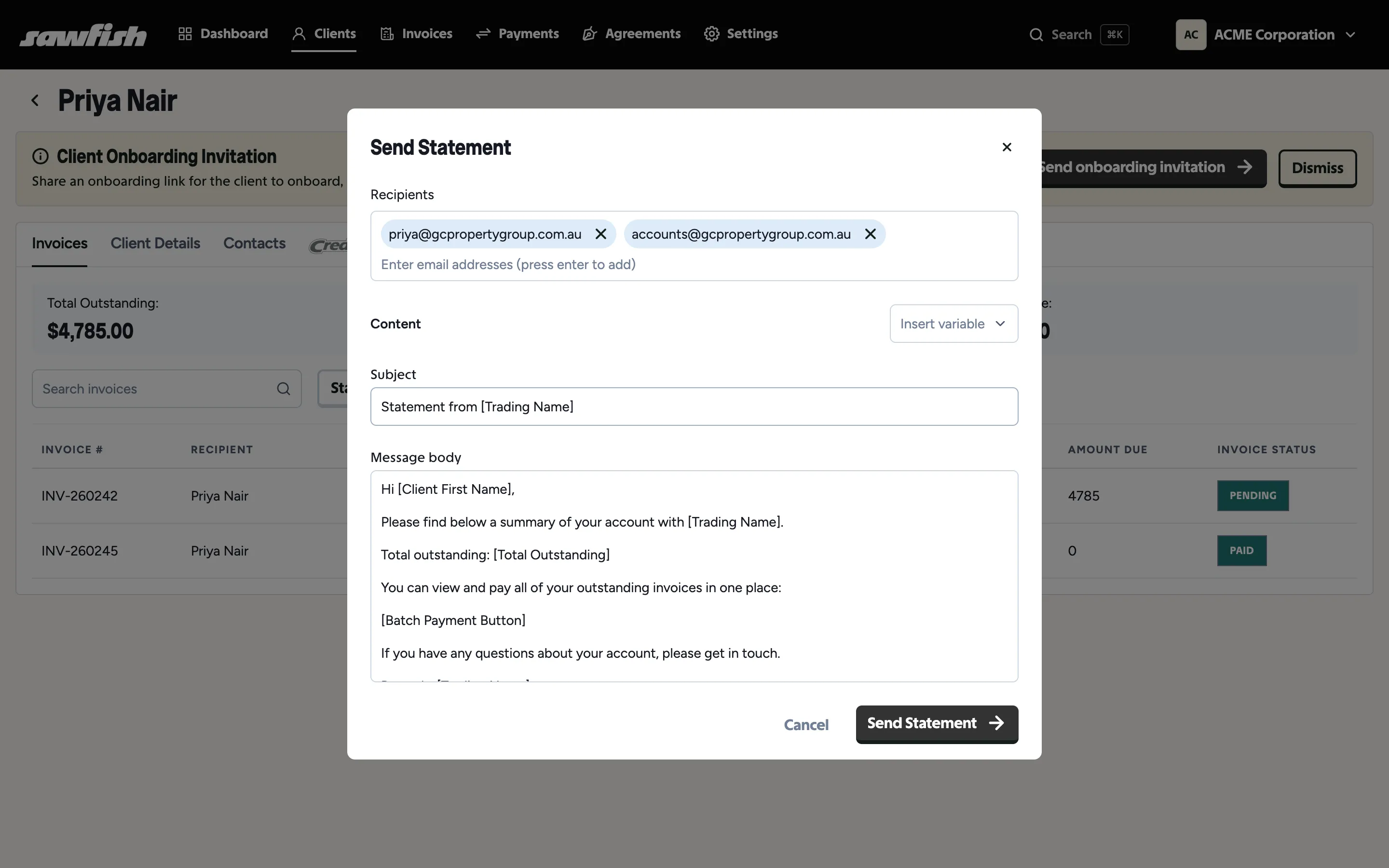
Section titled “Monthly statements”A statement is a monthly email summarising everything a client has outstanding, with a payment link that opens their batch payment page - so one click shows every unpaid invoice, payable together. There’s no PDF attachment; the live link is the statement, always showing the current position.
- Template - the statement email lives alongside your other templates under Settings → Invoice Notifications, with its own editable subject and body. Statement-specific variables include the total outstanding and the batch payment link or button.
- Schedule - choose how many days after the end of the month statements go out (e.g. 3 = the 3rd of each month). Clients with nothing outstanding are skipped, and statements are off by default - turn the template on when you’re ready.
- Recipients - the same audience as invoice emails: the client’s main email plus contacts flagged for all communications.
You can also send one on demand: open a client’s Invoices tab and choose Send Statement. The modal prefills the template and the client’s audience, and everything - subject, body, recipients - is editable before it goes.
Who on your team hears about payments
Section titled “Who on your team hears about payments”Choose which team members receive the invoice-paid notification internally - so accounts knows the moment money lands, without notifying everyone.