

The Invoices List
Invoices in the top navigation is every invoice your organisation has raised, newest first. Create Invoice in the top right starts a new one.
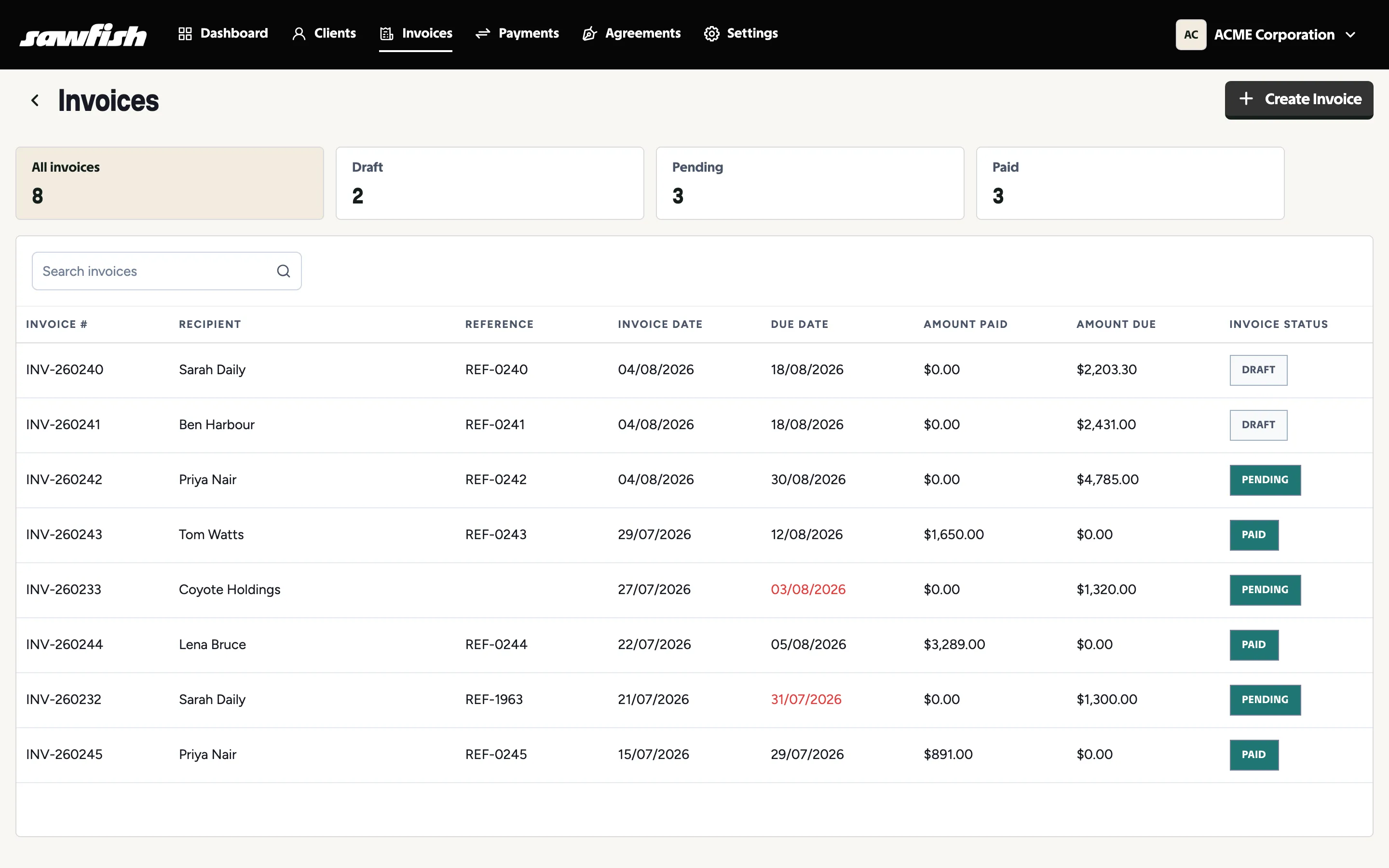
Status cards
Section titled “Status cards”Across the top sits All invoices and a card for each status you actually have, each with a live count. Click one to filter the list; click All invoices to clear it. Statuses you have none of don’t appear, so the row stays short and useful.
Search
Section titled “Search”Search invoices matches invoice numbers, references, and client names. Type and press Enter.
The columns
Section titled “The columns”| Column | What it shows |
|---|---|
| Invoice # | Your invoice number - click the row to open the invoice |
| Recipient | The client the invoice was raised for |
| Reference | Your free-text reference (PO or job number) |
| Invoice Date | The issue date |
| Due Date | Calculated from the client’s payment terms unless you overrode it |
| Amount Paid | Paid so far - part-payments show here |
| Amount Due | What’s still outstanding |
| Invoice Status | See below |
What each status means
Section titled “What each status means”| Status | Meaning |
|---|---|
| Draft | Not approved. The client hasn’t seen it and it isn’t in your accounting system’s sequence. Safe to delete. |
| Pending | Approved and awaiting payment. Reminders run against it. |
| Payment Initiated | The customer has started a payment - a PayTo or PayID that hasn’t landed yet. |
| Paid - pending settlement | Payment taken, funds still clearing the gateway. The invoice is settled from the customer’s point of view. |
| Paid | Money received, written back to Xero or MYOB, reminders stopped. |
| Failed | A payment attempt failed. The invoice is still owed - the failure reason is kept on the payment record. |
| Cancelled | Voided. Not collectable, kept for the record, payment link disabled. |
| Disputed | Flagged as disputed - contact the Sawfish team. |